
Key takeaways
- Give your agent context from the customer, conversation, booking, and payment records already in Meep.
- Give it tools to prepare useful work: follow-ups, campaign audiences, training drafts, and automation rules.
- Use supported assistant scheduling or enabled Meep automations for ongoing work, with access and approvals you control.
You are with a customer. A lead still needs a reply, a past customer has gone quiet, and tomorrow’s follow-ups need attention. Those jobs do not disappear while you are busy. Connect your agent to Meep and give it work to take off your plate: investigate the records, prepare the next step, and help put follow-through in place.
Meep supplies the business context and tools. Your compatible AI assistant supplies the agent that uses them. With a supported scheduled task or an enabled Meep automation, that work can continue beyond the moment you type a request. You decide what the connection can access and which actions it can take.
Your next booking may already be in your customer list.
Same goal: reconnect with quiet customers, then keep the follow-up going.
Without the connector
- Find customers with no recent visits
- Check their records and build a recipient list
- Write the win-back campaign
- Configure an inactivity trigger and follow-up email
- Review the campaign and enable the rule
You coordinate every handoff.
With Meep + AI
“Find customers who stopped booking and draft a win-back campaign. Then prepare a paused automation to email customers after 90 days without activity.”
- Check visit history
- Build the win-back audience
- Draft the campaign
- Prepare the follow-up automation
Play an illustrated example of the workflow.
One request. One place to review.
Reconnect today. Keep the follow-up going.
- A win-back audience and campaign for today
- An ongoing follow-up rule for the next quiet customer
- When
- A customer has 90 days without activity
- Then
- Send your check-in email
Review once. Enable when you’re ready.
Give it the context to understand the work
A useful teammate needs more than a name and an email address. Your agent can work with the customer records, conversations, bookings, invoices, and reports your connection is allowed to read. It can look into the work before deciding what to prepare.
For a win-back campaign, that means using recorded visit history to identify customers to reconnect with. For a reply, it means reading the conversation first. The value is context connected to action, without you copying the background into every chat.
Give it a job, not just a question
The connector gives the agent tools to do something with what it finds. It can read a conversation and prepare a reply, identify an audience and draft a campaign, or create an automation rule. You review prepared work instead of assembling every part yourself.
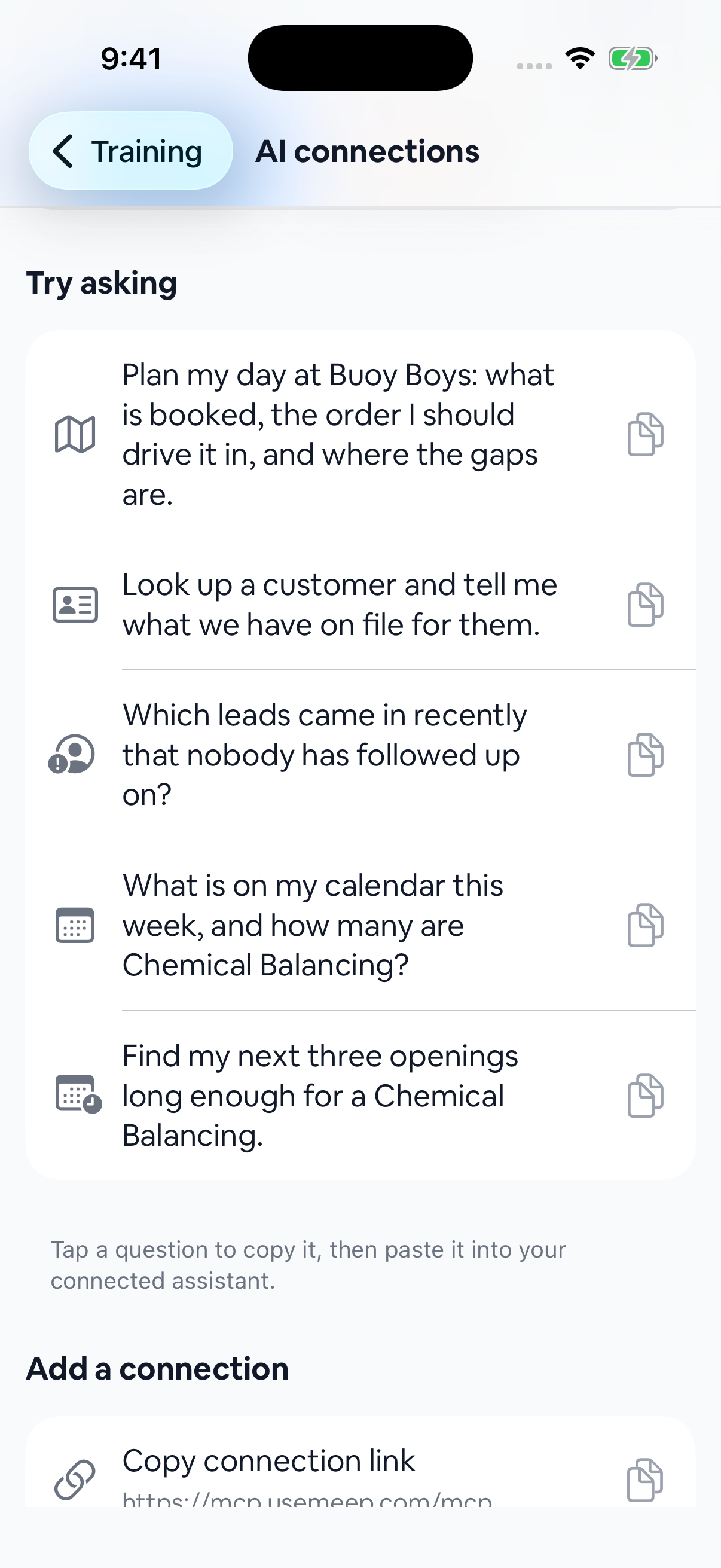
A daily briefing can bring scheduled jobs, missed calls, unanswered texts, new leads, and overdue invoices together. Customer lookups and quick questions are useful too. They are also building blocks for a larger job: find what needs attention and prepare the next step.
Let the follow-through keep working
A connection gives an agent access when it runs. Ongoing work needs something to start those runs or evaluate the rule. There are two ways to put that in place.
- Scheduled agent work. If your AI assistant supports scheduled tasks with connected tools, configure a recurring check there. For example, have it review unanswered conversations each morning and prepare work for your review. Availability depends on the assistant and its scheduling support.
- Meep automations. Have the agent prepare a rule in Meep, such as a check-in email after 90 days without customer activity. Customer-message rules start paused. Once an owner or admin reviews and enables the rule, Meep runs that approved follow-up when its conditions are met.
That is the difference between a one-off win-back exercise and a routine that keeps working. The agent helps prepare the audience, message, and rule. The enabled automation handles future qualifying customers without you rebuilding that follow-up each time.
Stay involved where it matters
You choose what each connection can see or do. An agent with read access can investigate; the corresponding action permissions let it prepare or change supported records. Your plan, enabled features, and account role still apply.
A reply draft is not a sent message. A saved training draft is not published member content. Review a campaign before confirming its send, and review a customer-message automation before enabling its ongoing sends. Approval of an automation authorizes its future runs; it does not ask you to approve every email again.
In assistants that support Meep’s interactive widgets, prepared replies can open in a Message Reply view. Other clients may present the tools differently. You can manage a connection’s access or disconnect it from AI connections in Meep.
Put the same approach to work in coaching
With Training and customer access enabled, an owner or admin’s agent can read onboarding answers, member-reported workouts, check-ins, and metric history. It can also help author training drafts, such as duplicating a workout and replacing an exercise from the library while preserving its prescription.
That gives a coach preparation to review before a session. Publishing stays separate from saving the draft. Missing activity is a reason to ask a question, not proof a client missed a workout.
Connect your agent and give it a first job
Add Meep as a custom connector in a compatible AI assistant using https://mcp.usemeep.com/mcp. Sign in, choose the business, and review the requested access. Our connection guide walks through supported clients.
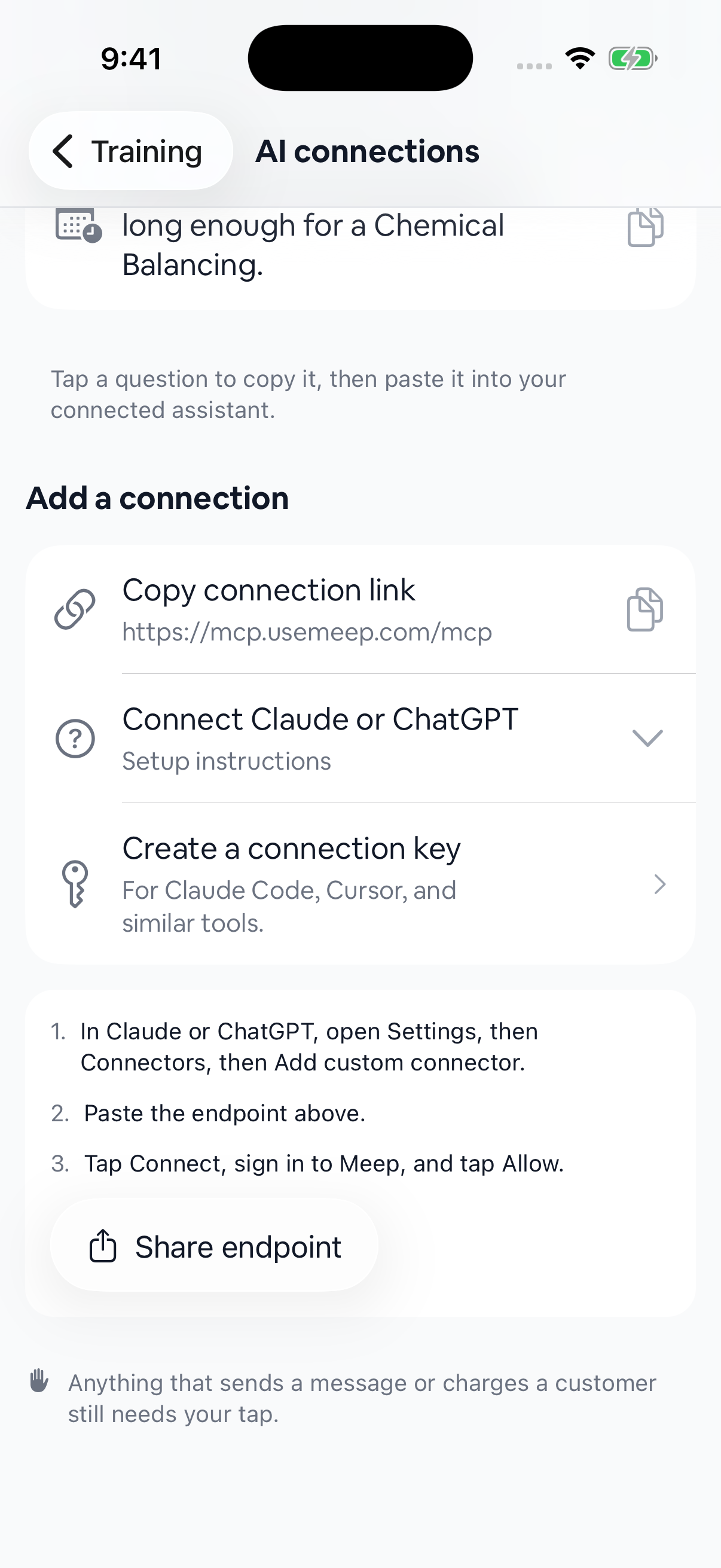
Start with a specific responsibility, such as preparing tomorrow’s follow-ups or drafting a win-back campaign. Review the first result, adjust the instruction, and add supported scheduling or an automation when you are ready for it to become a routine.
FAQs
Does connecting Meep make my agent run in the background? +
The connector provides business data and tools; it is not an always-running agent by itself. Use a compatible assistant’s supported scheduling to start recurring agent work, or have the agent prepare a Meep automation that runs after you enable it.
What can my agent work on today? +
Implemented tools support customer and conversation context, briefings, reply and campaign preparation, automation management, and Training authoring, among other tasks. Availability depends on your plan, enabled features, role, and connection permissions.
Will it send messages without me reviewing them? +
Preparing a reply or campaign does not send it. Customer-message automations are created paused and require an owner or admin to enable them in Meep. Once enabled, the rule can send qualifying messages automatically under that approval.
Does every AI assistant support the same experience? +
No. Connector, scheduling, and interactive-widget support vary by client. Check your assistant’s support before relying on recurring work. Meep’s Message Reply view appears in clients that support the interactive widget.
Can I change or remove access? +
Yes. Open AI connections in Meep to manage the capabilities granted to a connection or disconnect it. Your plan and role still determine which capabilities are available.
Sources: Meep connector setup guide.
General information for small business owners, not legal, tax, or financial advice. Last updated October 24, 2026.